
MFA (Multi-Factor Authentication) adds a second layer of identity verification for sensitive account actions. Logging in grants access to the account, but withdrawals, transfers, and security changes all require an additional proof of identity before they proceed.
MFA is optional to set up, but certain actions on Polyester require it before they can be performed.
Supported Factors
Two factor types are available. Multiple factors of each type can be active at the same time, and both types can be active simultaneously.
Passkey The most secure option.
Uses Face ID, Touch ID, Windows Hello, a laptop PIN, or a hardware security key such as YubiKey or Google Titan. Passkeys are phishing-resistant. They are bound to the user's device or hardware and cannot be intercepted or replicated by a phishing site.
Authenticator App Generates a 6-digit time-based code that refreshes every 30 seconds.
Works with 1Password, Authy, Google Authenticator, and any compatible TOTP app. In the authenticator app, the account appears as Polyester Exchange: [username].
Recovery Codes
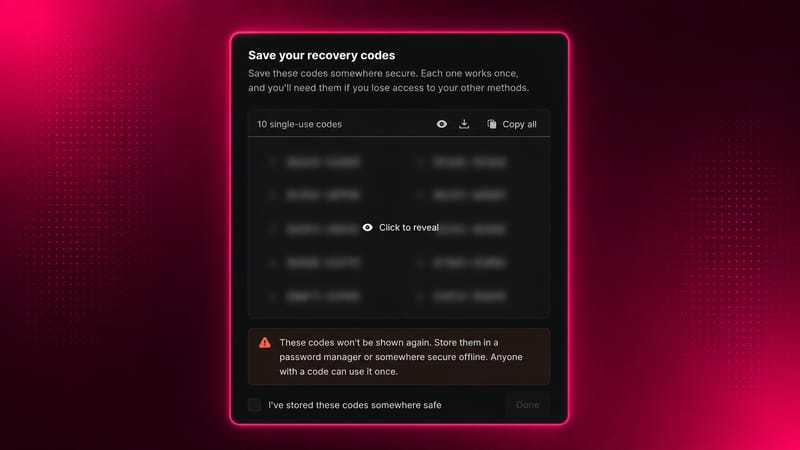
During initial MFA setup, 10 single-use recovery codes are generated automatically. These codes can be used to authenticate if the primary factor is unavailable. Store them offline in a secure location.
Recovery codes can be regenerated from Settings at any time, which requires step-up verification and invalidates the previous set.
Setup and Adding Factors
Location: Account menu → Settings → Security
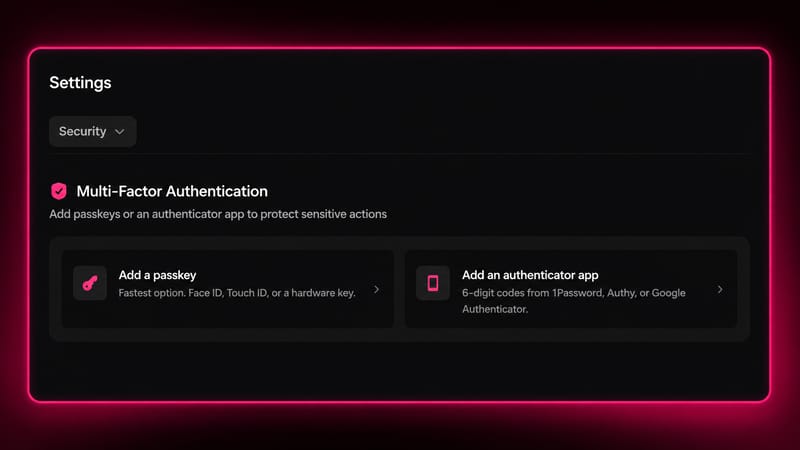
Initial setup When no MFA is configured, two options are presented: add a passkey or add an authenticator app. Completing either one enables MFA on the account and generates the 10 recovery codes.
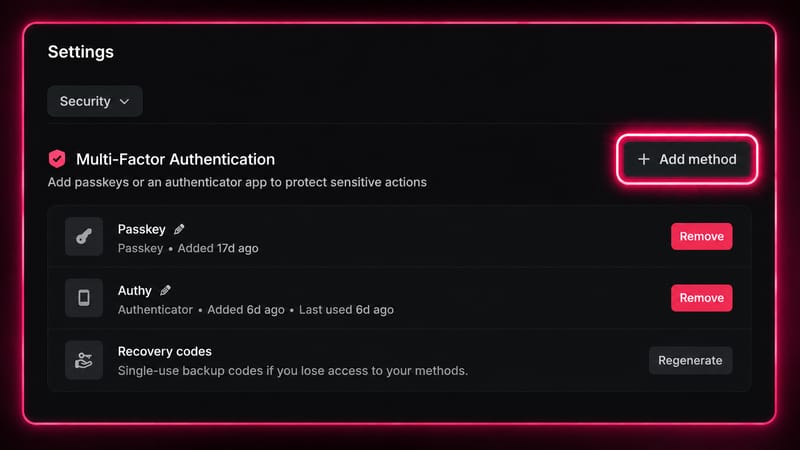
Adding more factors Once MFA is set up, additional factors can be added by clicking 'Add method' in Settings. Step-up verification with an existing factor is required before a new one can be added.
Actions That Require MFA
The following actions require fresh MFA verification every time, regardless of how recently MFA was completed:
- Withdrawals
- Transfers
- Inviting or removing subaccount members
- Changing subaccount policy
- Creating or deleting API keys
- Changing API key policy
- Modifying withdrawal whitelists
- Deleting an MFA factor
- Regenerating recovery codes
Removing MFA Factors
MFA cannot be fully removed once enabled. If a user attempts to remove their only factor, the system requires a replacement to be added first before the existing one can be deleted.
Removing a factor always requires step-up verification using the existing factor being removed.