
Account security on Polyester focuses on protecting access and confirming intent.
Multiple layers of security work together: authentication, MFA for sensitive actions, on-chain enforcement for fund movement, and withdrawal whitelisting. These protections can be configured separately for primary accounts, subaccounts, and API keys.
For details on how account authority is implemented on-chain, see Smart Wallets.
Authentication Security
Wallet login (MetaMask, Phantom, WalletConnect)
If an account is accessed via a self-custodied EOA wallet, control of that wallet's private key or seed phrase means full control over the Polyester account.
Security best practices:
- Never store the seed phrase digitally in notes, cloud storage, or screenshots
- Never share the seed phrase or private key with anyone
- Use a hardware wallet whenever possible
- Carefully review every wallet signature before confirming
Social or email login (via Turnkey)
If an account is created through Google or email via Turnkey, access to that login controls the wallet that authorizes the Polyester account. If the email or social account is compromised, the Polyester account may be at risk.
Security best practices:
- Enable MFA on the Google or email account used to sign in
- Use passkeys or hardware-backed authentication where available
- Monitor login activity for unfamiliar sessions on the email or Google account
See Turnkey for details on how private keys are secured.
MFA
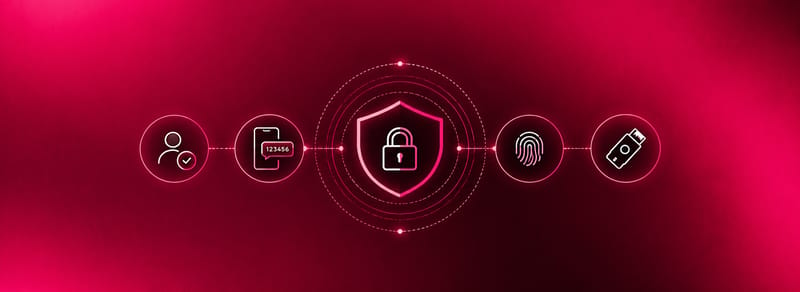
MFA (Multi-Factor Authentication) adds a verification layer that protects sensitive actions even if a session is stolen.
Two factor types are supported:
- Passkeys (Face ID, Touch ID, laptop PIN, hardware security keys)
- Authenticator apps (Google Authenticator, 1Password, Authy).
Actions that require MFA:
- Withdrawals
- Transfers
- API key management
- Whitelist modifications
- subaccount member management.
See MFA for setup instructions and the full list of gated actions.
Guard Signer
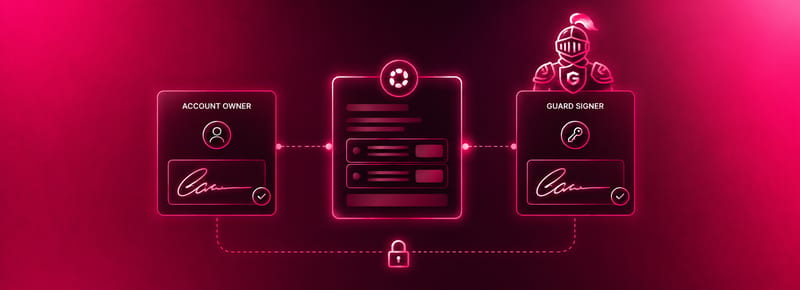
Guard Signer adds on-chain multi-signature control to sensitive account operations. When enabled, on-chain actions such as whitelist changes require Guard Signer approval in addition to the account owner. An attacker who gains access to the account cannot modify on-chain security settings without also controlling the Guard Signer.
See Guard Signer for setup and configuration.
Withdrawal Whitelisting
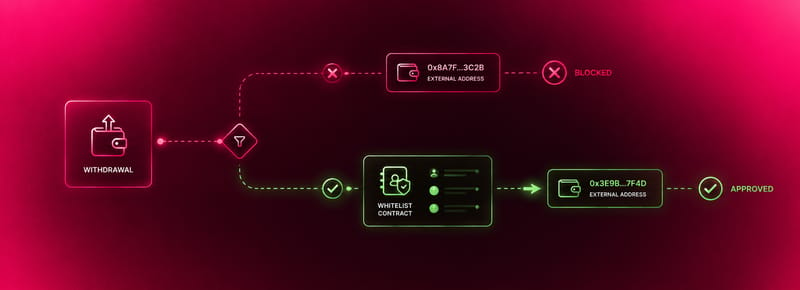
Withdrawal whitelisting restricts fund movement to pre-approved destination addresses. When enabled, withdrawals and transfers can only be sent to whitelisted addresses. This protects funds even if the account is compromised, since an attacker cannot redirect funds to an arbitrary destination.
Whitelist changes are enforced on-chain by the Funding Account contract and require Guard Signer approval, making unauthorized modifications resistant to session compromise.
See Whitelisting for setup, address management, and how whitelists apply across subaccounts and API keys.
API Keys and subaccounts
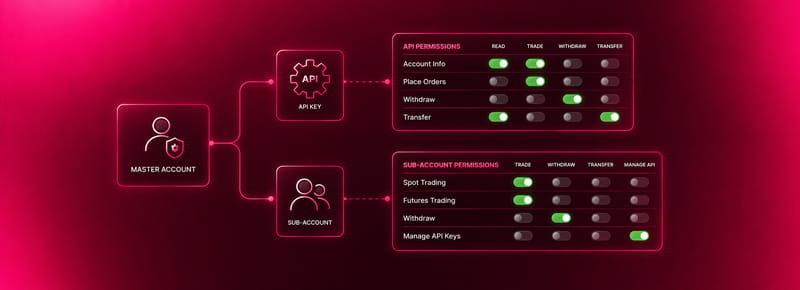
API keys and subaccounts allow users to structure, automate, and delegate activity with precision. Both support granular permission controls, including restricting which markets can be traded, setting order size limits, limiting internal transfers to specific accounts, and restricting access to approved IP addresses.
API key sessions are exempt from MFA step-up. MFA applies to browser sessions, not to API key authenticated requests.
Both API keys and subaccount permissions can be revoked at any time if compromised. See Permissions and the Developer Documentation for full detail.
Sessions

Sessions are time-limited to reduce the risk of unattended logins. The default session duration is 4 hours. Certain sensitive actions, such as withdrawals, always require fresh MFA confirmation regardless of how recently MFA was completed.
Security Notifications

Polyester provides notifications for key security-related events:
- Account logins from new devices or IPs
- Authentication rotation attempts
- API key creation
- Failed withdrawal attempts
View and manage notifications via the bell icon in the header or on the Notifications page.
Report a Security Risk
Please visit the Report a Bug page for details on submitting a suspected vulnerability issue.