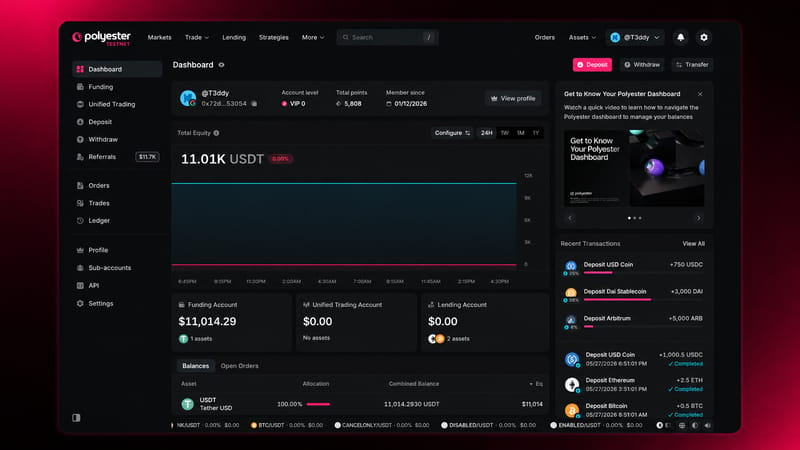
The Dashboard is the central overview page for a Polyester account, showing aggregated equity, balances, and recent activity across all accounts in one view.
How to access: Hover the account icon in the upper right of the header and click Dashboard.
The Sidebar
Visiting the Dashboard opens a persistent sidebar providing navigation to every major account-level tool on the platform. The Dashboard is one of the quickest way to reach any of them.
What the Dashboard Shows
The Dashboard gives a quick read on the current state of the account:
- Your smart account address and VIP tier
- Total equity across all three exchange accounts
- Individual balances for the Funding Account, Unified Trading Account, and Lending Account
- Open orders
- Recent transactions
- Quick action buttons for deposits, withdrawals, and transfers
Tip
The eye icon next to the page title hides all monetary amounts across the entire platform. The setting persists across sessions.